Two AI copilots.
One meeting.
OpenAI and Anthropic listen to your interview and answer live — in a window your interviewer will never see.
Free 3-day trial · Every feature unlocked · Bring your own keys
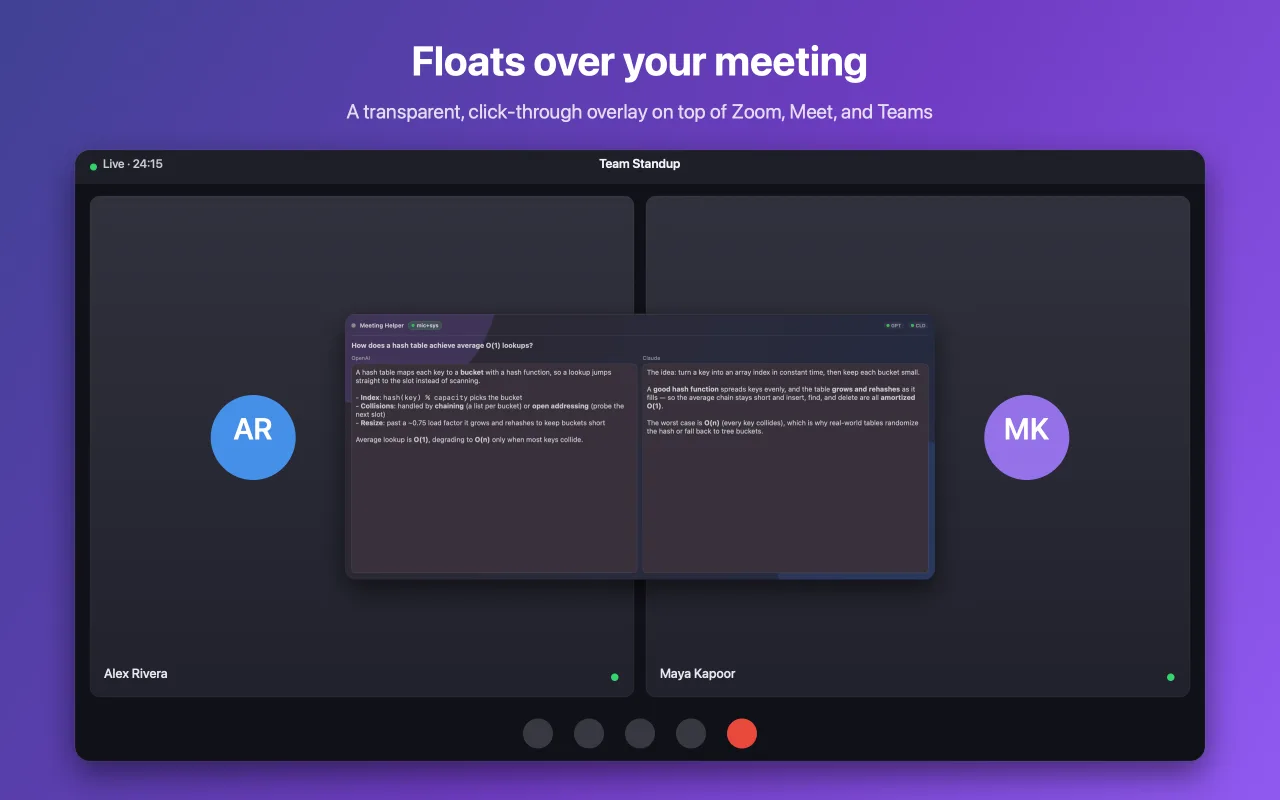
How does a hash table achieve average O(1) lookups?
A hash table maps each key to a bucket with a hash function, so a lookup jumps straight to the slot instead of scanning.
Collisions are handled by chaining or open addressing; past a ~0.75 load factor it grows and rehashes.
Average lookup is O(1), degrading to O(n) only when most keys collide.
The idea: turn a key into an array index in constant time, then keep each bucket small.
A good hash function spreads keys evenly and the table rehashes as it fills — so insert, find and delete are all amortized O(1).
Worst case is O(n) when every key collides, which is why real tables randomize the hash.
Works on top of
An unfair advantage, invisible by design.
Everything you need to walk into any call with an expert whispering in your ear — and no one else in the room knowing it exists.
Floats over your meeting
A transparent, always-on-top, click-through overlay sits on top of Zoom, Meet, and Teams. Read your answers without ever taking focus off the call.
- Never steals focus — clicks pass straight through to your meeting
- Always on top, so answers stay in view while you talk
They'll never see it
Hidden from screen sharing and screen recording with one toggle. The interviewer sees a normal shared screen; you see your answers. Technically, the window sets NSWindow.sharingType = .none.
- Invisible in Zoom / Meet / Teams screen shares and recordings
- One switch keeps it yours — flip it off anytime
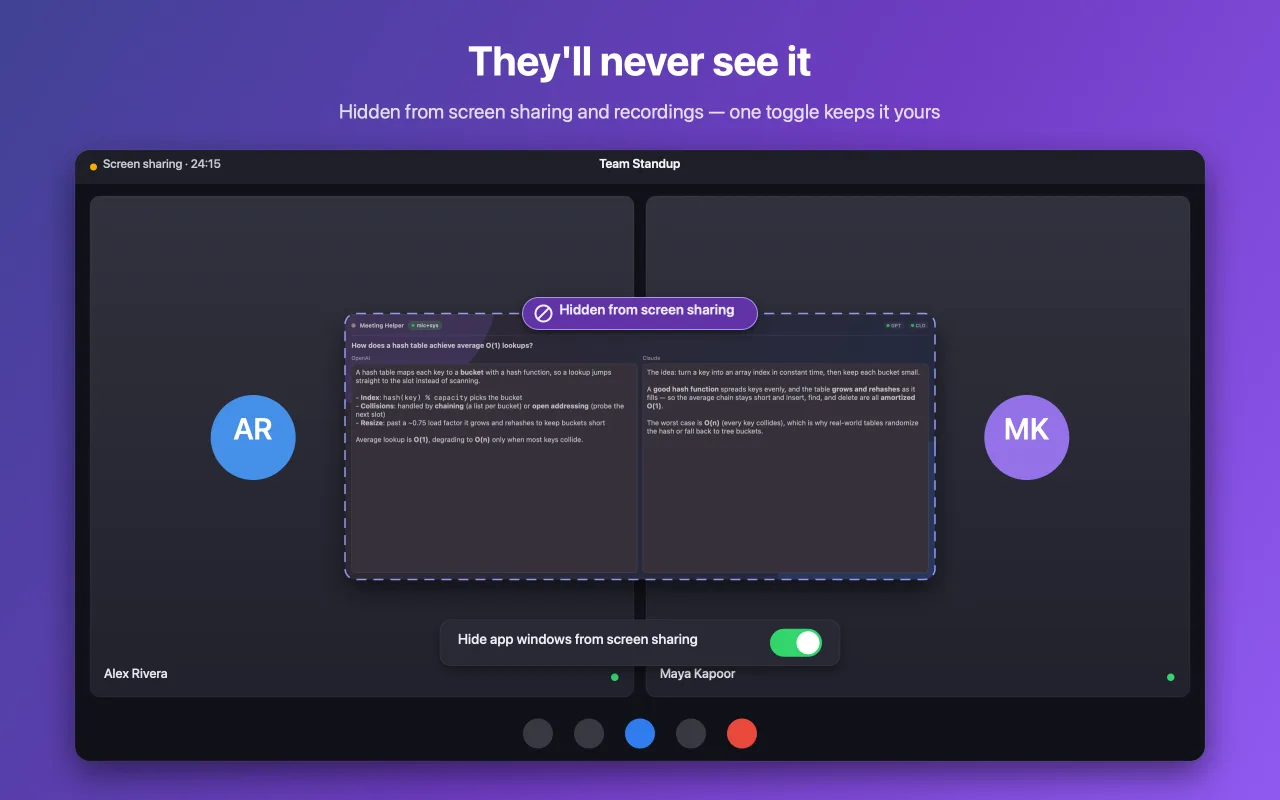
Toggle it — that's exactly what the interviewer sees vs. what you see.
Answer without lifting a finger
Every action has a global shortcut that works even while the app is invisible. Snap a coding question off the screen with screenshot + OCR, pause listening, or copy the last answer — all without touching the window.
- Show / hide overlay⌘⇧O
- Pause / resume listening⌘⇧P
- Screenshot + OCR⌘⇧S
- Clear context⌘⇧K
- Copy last answer⌘⌥⇧C
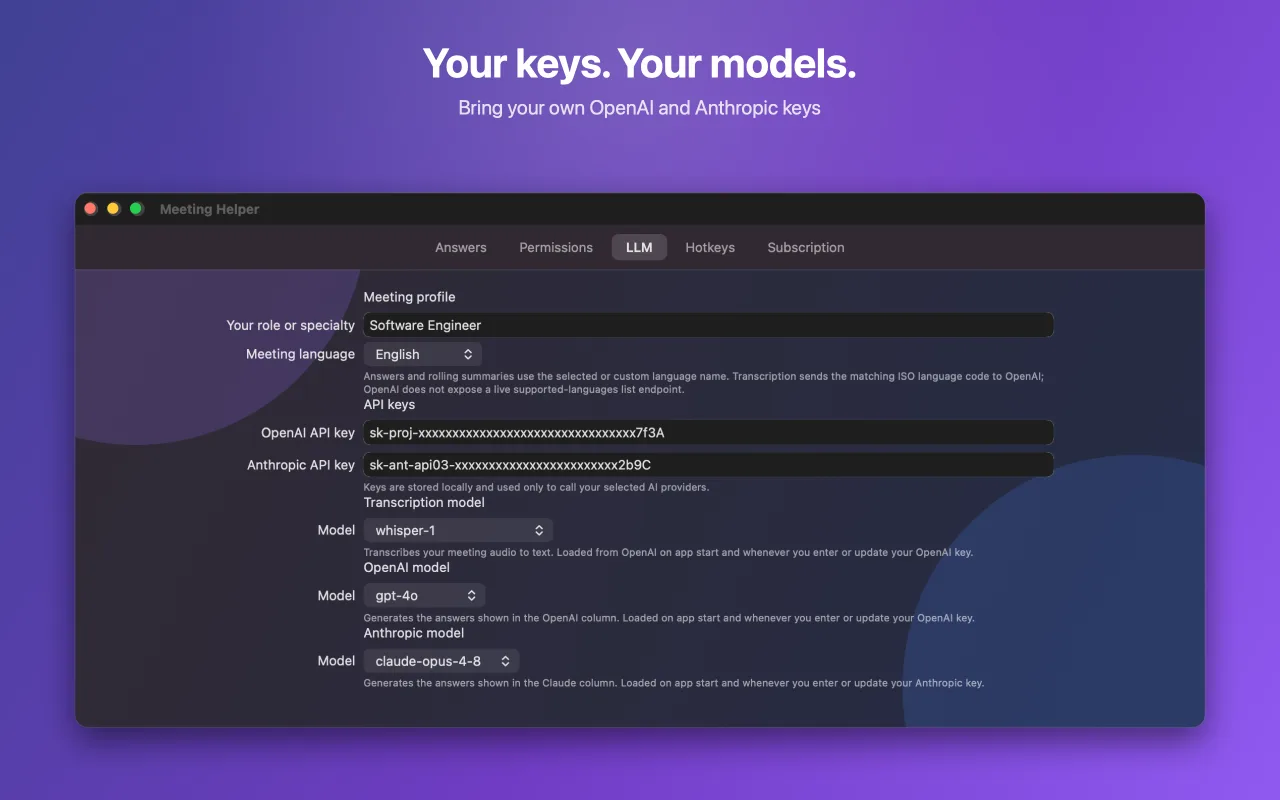
Your keys. Your models.
Plug in your own OpenAI and Anthropic keys and choose your models — Whisper for transcription, GPT-4o and Claude Opus for answers. Set your role and meeting language so every answer sounds like you.
- Pick transcription and answer models independently
- Tune answers to your specialty and language
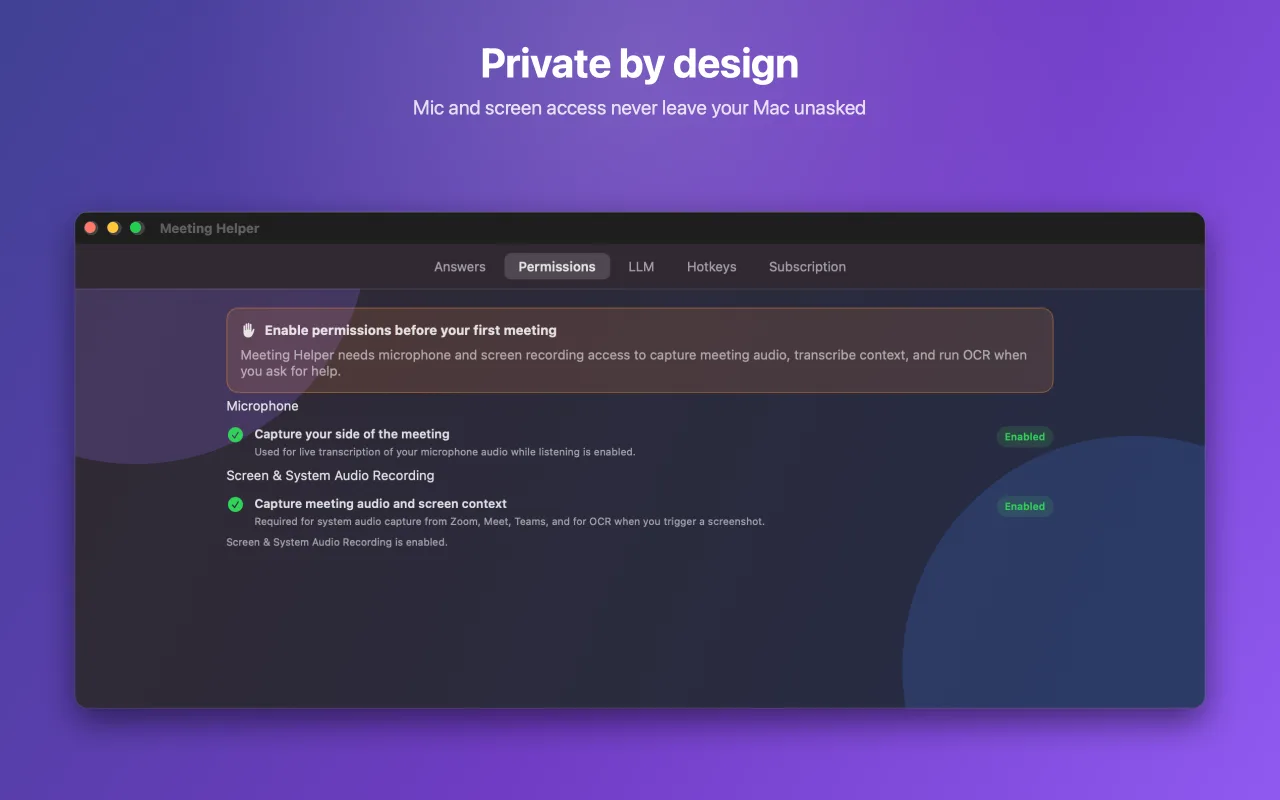
Private by design
Microphone and screen access are always asked, never assumed. Your API keys are stored locally on your Mac and used only to call the AI providers you chose. Nothing about your meetings is sent to us.
- Keys stay on-device — we never see them
- No meeting data leaves your Mac to our servers
Live in four steps
From download to your first answer in under two minutes.
Add your keys
Drop in your OpenAI and Anthropic API keys and pick your models.
Join your call
Start any Zoom, Meet, or Teams interview like you normally would.
It listens & answers
The hidden overlay transcribes live and answers in real time.
Ace the question
Read your answer off the invisible overlay and nail it.
Why Meeting AI Helper
Other interview copilots read one model off a window anyone can see. We do neither.
Try it free for 3 days
Every feature unlocked from minute one. Cancel anytime.
then a simple subscription. Bring your own API keys — you only pay providers for what you use.
- Two AI copilots (OpenAI + Anthropic) answering live
- Click-through overlay over Zoom, Meet & Teams
- Hidden from screen sharing & recordings
- Global hotkeys + screenshot & OCR
- Bring your own keys & choose your models
- Everything stored locally — private by design
Requires macOS · No credit card to download
Questions, answered
No. Meeting AI Helper is hidden from screen sharing and recordings, and the overlay is click-through — so it never appears in your shared screen and never steals focus from your call.
Never freeze on a question again.
Two AI copilots, hidden from the room, answering live. Try it free for 3 days.
Free 3-day trial · Every feature unlocked